How to Evaluate an AI Product Imagery Platform (2026)
Stylitics Marketing Team
The Stylitics Marketing Team explores the intersection of AI, retail, and shopper experience, sharing strategies and insights that shape the future of product discovery and visual merchandising.
Your AI imagery pilot probably looked great, with fifty images of hand-picked products and a vendor team tuning every output. Then someone asked what it would take to cover the whole catalog, and nobody had a clear answer.
That gap is where most programs stall, because a sample set shows what a platform can do on its best products and says almost nothing about your feed, your hardest SKUs, your brand review or your publishing calendar. Choosing on the demo is how teams end up rechecking every image by hand six months later.
This guide gives you a sharper test for any AI product imagery platform. You’ll get eight criteria to score, the question to ask a vendor for each one, a scorecard you can drop into an RFP, and a three-stage process for proving a platform on your own catalog before you sign.
Key Takeaways
Score platforms on your own hardest products. Accuracy comes first, since 71% of shoppers have returned an item that didn’t match its listing (Salsify, 2025).
Pay per delivered image rather than per generation attempt, so the vendor carries the cost of retries and rejected outputs.
Test in three stages, from sample to program definition to calibration, and set a live date only after calibration passes.
Why do AI imagery pilots stall before production?
More than 35% of fashion executives already use gen AI in areas such as image creation, copywriting and customer service (McKinsey, 2025). Adoption is no longer the open question for most retailers. The harder one is which platform keeps working once a pilot of fifty images turns into a catalog of fifty thousand.
McKinsey’s State of Fashion 2026 makes the same point from the top down, urging fashion leaders to move beyond small pilots and experiments and rethink how their organizations actually work. For imagery, that means the tool that impressed in a demo now has to survive real feed data, category edge cases, brand review and a publishing calendar.
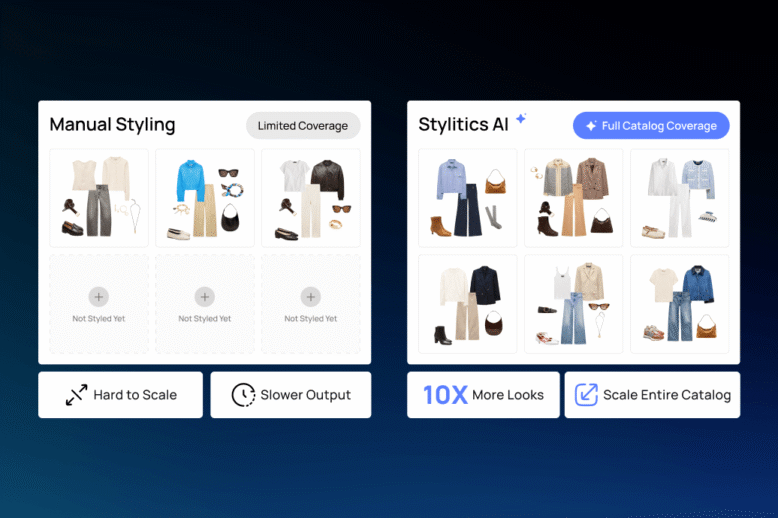
Most stalled programs share one trait, which is that every image gets treated as its own creative decision. A stylist picks the model, the pose and the background, reviews the output, asks for a retry and moves on to the next product. That works for a campaign. At catalog volume it breaks, because review time grows with every single image.
The programs that scale flip that ratio, so one decision about casting, framing and background covers hundreds of products in the same category, and the platform applies it consistently every time. So the most useful question for any vendor is how many images a single creative decision can cover before quality slips. If the honest answer is one, you’re buying a generator. For a tool-by-tool view of the market, see our comparison of enterprise AI imagery tools.
What does an AI product imagery platform actually do?
An AI product imagery platform runs the full path from your product feed to a published image on the product page. A generator makes pictures from prompts and stops there. The distance between those two things is where most of the cost, risk and staff time in an imagery program really sits, and it’s easy to miss in a demo.
Stage
What happens
What you get
1. Feed ingestion
Product data and source photos are pulled from your feed
A clean, organized product record
2. Product analysis
Attributes, construction and logos are classified by category
Rules the rest of the pipeline can reuse
3. Shot instructions
A shot list and prompts are set by product type
A plan per product, not per image
4. Generation and QC
Several candidates are made, then automated and human checks pick the one that passes
One accurate image per shot
5. Shot list completion
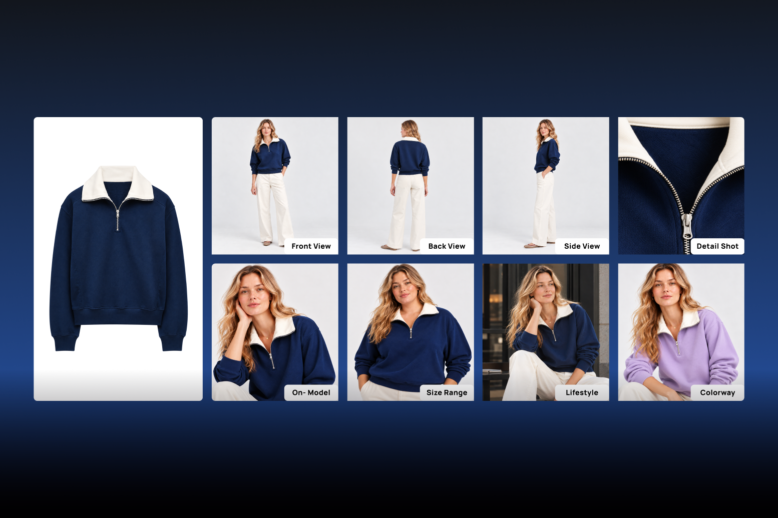
Missing angles, details and colorways are filled
Full coverage for every product
6. Publish
Named, approved files go to your DAM or site
Images live without manual handling
Buyers tend to skip stages 1, 2 and 6 in a demo because nothing visual happens there, yet those are the stages where programs break. A platform that can’t read your feed, name files the way your ecommerce system expects or drop approved images into your DAM leaves all of that work with your team. AI Image Studio is built around this full pipeline, and each criterion below maps back to one of these stages.
The 8 criteria to score an AI product imagery platform
71% of shoppers have made a return because a product didn’t match its online listing (Salsify, 2025). That’s why accuracy sits at the top of this list. A platform that produces a beautiful image of the wrong garment costs you more than it saves. Work through the eight criteria below, then copy the scorecard at the end into your RFP.
1. Garment accuracy on your own products
Ask the vendor to generate images for your hardest SKUs rather than the products in their demo. Pick prints, visible hardware, logos, sheer fabrics and anything with complex construction. A strong answer includes an accuracy rate measured on delivered images and a clear policy for what happens when one misses. In a Stylitics survey of 411 shoppers, most couldn’t tell a generated image from a photo, but confidence dropped fast when buttons, wrinkles or fabric texture looked wrong (Stylitics, 2025).
2. Quality control method
Ask who checks each image before you see it, and how. Automated checks catch artifacts, warped logos and extra fingers quickly. They tend to miss subtler problems, like a hem sitting two inches too high or a drape that doesn’t match the fabric. A strong answer combines automated agents with fashion-trained human QC, and the vendor can tell you what share of candidates it rejects before delivery.
3. Feed and catalog integration
Ask how approved images get from the vendor’s system onto your site. The platform should ingest your product feed, clean up missing or messy metadata, name files to your ecommerce conventions and deliver to your DAM or SFTP. If the process involves your team downloading zip files, expect the program to stall in the first busy season. Clean product data helps here too, which is why catalog enrichment and imagery often run side by side.
4. Brand and creative control
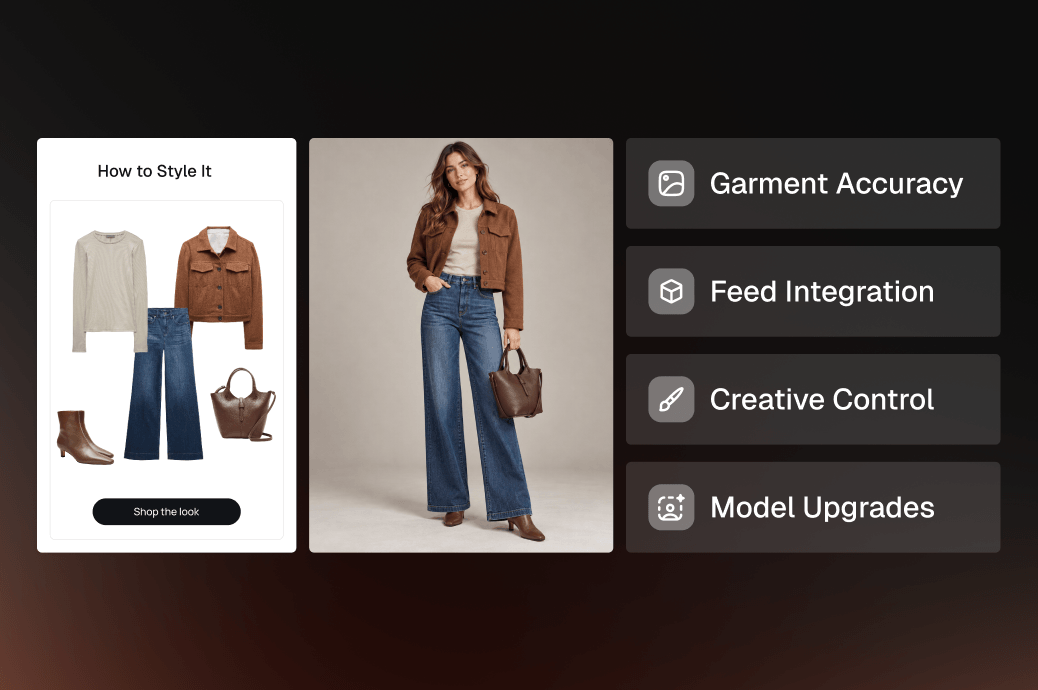
Ask which creative choices you set once and reuse, and look for control over casting, hair and makeup, pose, garment styling, background, lighting, color story and framing. These should live as saved rules per brand or category, not as prompts someone retypes every week. Casting rules also decide how well you can show a range of body types and skin tones, which is the core of inclusive model imagery.
5. Shot list logic by category
Ask whether shots and prompts change with the product type. A dress, a boot and a swimsuit need different angles, crops and detail shots. A strong platform reads product attributes and builds a shot list per category on its own. A weak one applies a single template to the whole catalog and leaves your team to fix every exception by hand.
6. Pricing model
Ask whether you pay per delivered image or per generation attempt. Self-serve tools usually bill per attempt, so a tricky product that takes twenty-five retries costs twenty-five times as much. Paying per approved, delivered image moves that risk to the vendor, which is where it belongs. Also confirm what the price includes, such as QC, metadata cleanup, model upgrades, delivery and reporting.
7. Provenance, disclosure and likeness rights
Ask how the vendor tracks and marks what it generates. EU AI Act transparency rules under Article 50 have applied since 2 August 2026, and they require providers to give AI-generated content a machine-readable mark, with a grace period to December 2026 for systems already on the market (European Commission, 2026). A strong answer covers source tracking, watermarking or content credentials, a clear position on model likeness and an audit trail your legal team can review. Shoppers care about this as well, since 59% in the Stylitics survey wanted AI imagery clearly labeled.
8. Model upgrades and lock-in
Ask how the vendor handles new generation models, because the best image model this year won’t be the best one next year. A strong answer describes continuous testing of new models against your quality bar and switching when one performs better, at no extra cost to you. That keeps you from betting your whole catalog on a single AI provider.
The scorecard
Criterion
Ask the vendor
A strong answer
Weight
Garment accuracy
“Show me results on our 20 hardest SKUs.”
A measured accuracy rate on delivered images, plus a remake or refund policy
20%
QC method
“Who checks each image before we see it?”
Automated agents plus fashion-trained human review, with reject rates shared
15%
Feed integration
“How do approved images reach our site?”
Feed ingestion, file naming and DAM or SFTP delivery included
15%
Creative control
“Which choices do we set once and reuse?”
Saved rules for casting, pose, styling, background, lighting and framing
10%
Shot list logic
“Does the shot list change by category?”
Automatic shot lists by product type
10%
Pricing model
“Do we pay per attempt or per delivered image?”
Per delivered image, with retries absorbed by the vendor
10%
Provenance
“How do you mark and track generated images?”
Source tracking, marking, a likeness policy and an audit trail
10%
Model upgrades
“What happens when a better model ships?”
Continuous testing and switching at no extra cost
10%
Weight accuracy highest because it’s the criterion shoppers punish directly. A global sportswear retailer with a 100,000-plus item catalog runs its program against this kind of standard and now produces 10,000 images a week at 90% lower cost per image. See how AI Image Studio runs the program.
How do you test a platform before you sign?
A sample set shows what a platform can do on its best day, while an end-to-end run on your real feed shows what production will look like. In Stylitics’ experience, programs that move straight from approved samples to a live date run into input gaps and category edge cases that nobody tested. That’s why a calibration run now comes before any live date.
1. Sample a handful of products
Pick about five products and ask for a full shot list on each rather than a single hero image. Review the results live with the people who will approve images later, including brand, creative and ecommerce. The goal is a simple yes or no on whether the quality clears your bar. Keep this stage small, because a free pilot that keeps expanding tells you less over time, not more.
2. Define the program
Agree on the first use cases that will have an impact right away, such as missing back views, detail shots or colorway gaps. The vendor should review your feed, name the inputs it needs for each product and confirm the outputs you expect, including crops, backgrounds and file naming. Write all of this down, because it becomes the acceptance criteria for the next stage.
3. Calibrate on a few dozen products
Run the full workflow end to end on a few dozen products across your main categories. This is where missing source photos, inconsistent flat lays and awkward categories show up. Tune the inputs and rules, run it again, and set a live date only once calibration passes. Our guide to the 25 things that go wrong with in-house AI on-model imagery lists the failure modes worth building into this test.
Is your catalog ready for an AI imagery platform?
An estimated 19.3% of online sales were returned in 2025 (NRF and Happy Returns, 2025), so imagery that answers shopper questions is worth far more than studio savings alone. A platform pays off when one creative decision can cover hundreds of products and your inputs are consistent enough to repeat. Check these four things before you start.
You launch at least 1,000 new products a year, or you carry a large back catalog with thin imagery.
Your product feed works reliably and can be read by an outside system.
Each product has consistent source photos, such as front and back images on a model, a ghost mannequin or a flat lay.
You know which gap to close first, whether that’s missing angles, colorways or a wider range of models.
If your work is mostly one-off editorial campaigns shot image by image, a self-serve tool or an agency will probably serve you better. For the case beyond cost, read why AI-generated imagery reduces returns.
Build your shortlist
Use the scorecard to cut your longlist to two or three vendors, then put each one through the same three-stage test. The platform worth choosing is the one whose images hold up on your hardest products, whose QC you trust without rechecking everything and whose pipeline gets approved generative AI on-model imagery live without extra work from your team. Request a demo, bring a feed sample and your hardest SKUs, and we’ll show you AI Image Studio running on your own products.
FAQs
Pricing varies by volume and scope, so ask every vendor for cost per delivered image rather than per attempt. For reference, one global sportswear retailer was paying over $115 per image on traditional shoots before moving to AI Image Studio, where its cost per image fell 90%. Compare what each price includes, such as QC, metadata cleanup and delivery.
Most enterprise programs go live in 30 to 60 days once sampling, program definition and calibration are complete. The calibration run is what really sets the date, because it shows whether your feed and source photos are ready. Skipping calibration tends to push the real live date later rather than earlier.
At enterprise scale, the best option is a managed platform rather than a single image model, because models change every few months. Look for a vendor that tests new models continuously, applies fashion-trained human QC and delivers into your systems. More than 35% of fashion executives already use gen AI for tasks like image creation (McKinsey, 2025).
Article 50 transparency obligations have applied since 2 August 2026, and providers must mark AI-generated content in a machine-readable way. Whether a specific product image also needs a visible label depends on how the rules apply to that image, so confirm the details with your legal team and choose a vendor that tracks provenance and marks output by default.
In a Stylitics survey of 411 shoppers, 71% couldn’t tell whether an image was real or AI-generated. Confidence dropped quickly when details like buttons, wrinkles or fabric texture looked wrong, so accuracy matters more than realism. 59% also wanted AI imagery clearly labeled, which they read as a sign of honesty.
Expect real effort up front on assortment, creative direction, source inputs and feedback while the program is calibrated. After that the workload drops sharply, and on AI Image Studio most teams spend less than two hours a month keeping the program running. A new season, category or creative direction can still call for a short recalibration.
AI Image Studio fits retailers that launch at least 1,000 new products a year, have a working product feed and can supply consistent source photos. It runs from feed to published image with fashion-trained human QC and delivers straight into your DAM. One sportswear retailer with a 100,000-plus item catalog produces 10,000 images a week with it.



 Shop the Look Let shoppers buy the full outfit directly from any styled image.
 Styled for You Personalized outfit recommendations based on individual shopper preferences.
 Complete the Look Suggest complementary pieces to round out whatever a shopper is already viewing.
 Shop Similar Surface visually comparable alternatives when a specific item is out of stock or out of budget.
 Flat Lay to Model Choose from diverse models with full control over pose, crop, and framing.
 Background & Scene Swaps Place products in clean studio backgrounds, lifestyle environments, or custom lighting moods.
 AI Colorway Swaps Create photorealistic images for every colorway from a single reference shot.
 Model Diversity & Inclusive Imagery Output-ready formats for PDPs, social platforms, and campaign lookbooks.